
// Getting started
Get Renewal Radar running in minutes
Connect HubSpot, let Renewal Radar discover renewal timing automatically, review the first scan, then activate follow-up when you are ready.
1. Install on HubSpot
- Start the install from Sighub or the HubSpot App Marketplace.
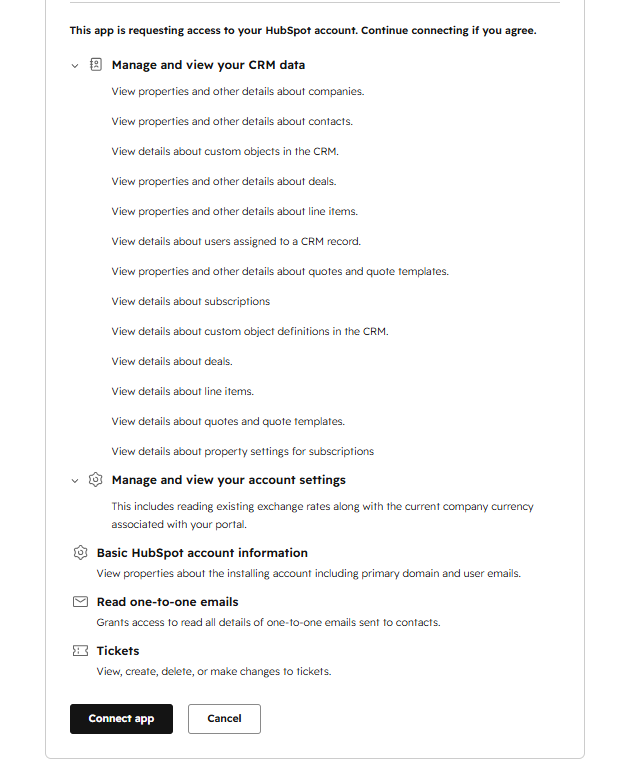
- Authorize your HubSpot portal through OAuth.
- Return to HubSpot and open Renewal Radar from the Company record or app settings.
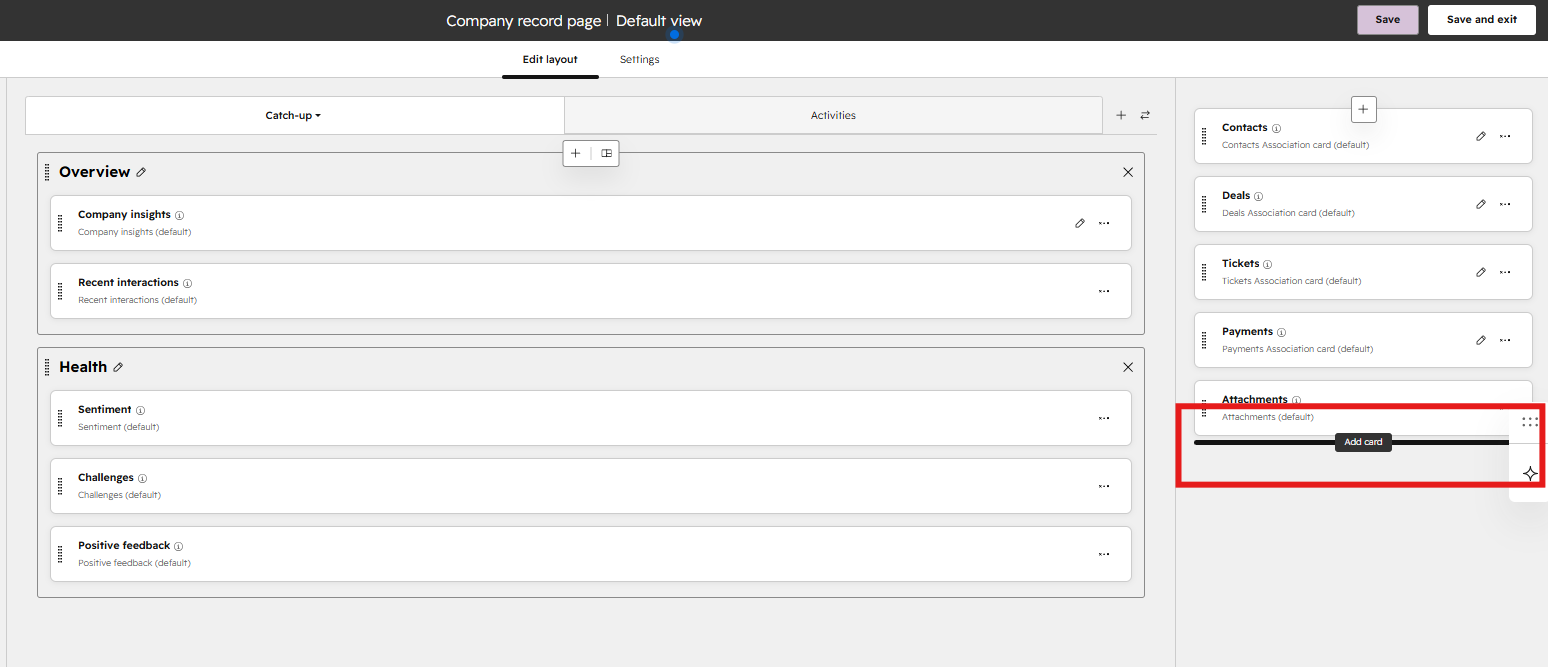
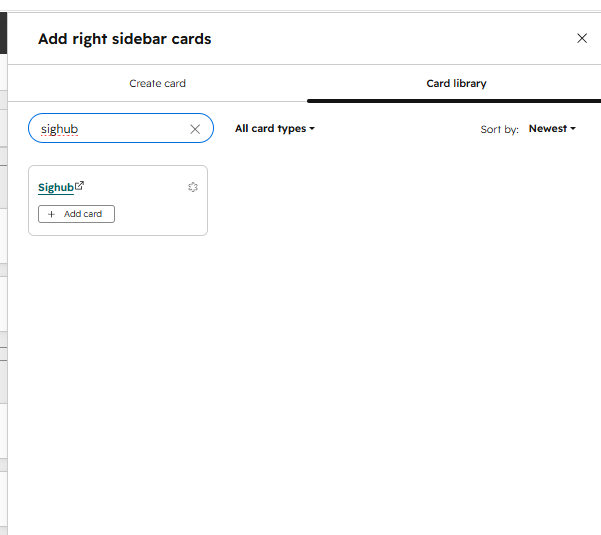
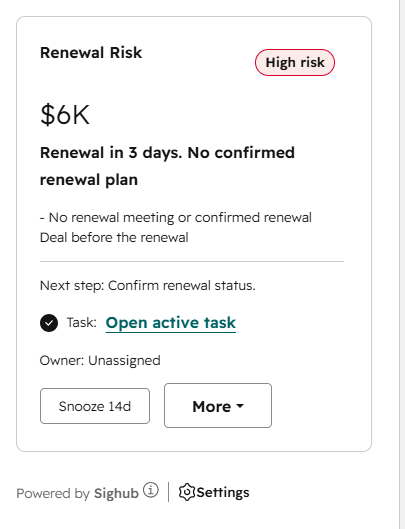
If the Renewal Radar card is not visible on Company records, open HubSpot's record-layout editor and add the card to the Company sidebar.
2. Renewal detection is automatic
You do not choose one renewal source for the whole portal. Renewal Radar discovers eligible renewal semantics automatically and builds the portal's deterministic source policy.
Production renewal timing can resolve from eligible Company, Deal, Subscription, Line item, Quote, and relevant custom-object evidence. Each Company is resolved independently, so different accounts can legitimately use different winning source families.
The timing result can be explicit, a renewal-specific proxy, an estimate, or no reliable current timing. Estimates remain Low-confidence and are never promoted into confirmed contract dates.
What you still configure
- Renewal alert window: 30, 60, or 90 days. Default 60.
- Contract term: used only when an eligible closed-won Deal supports a monitoring estimate.
- Account value: optional numeric Company field for ARR/ACV-style value at risk.
- Task owner routing: Company owner or one selected HubSpot user.
- Risk controls: configurable activity thresholds and per-account overrides where exposed in settings.
3. Review the first scan
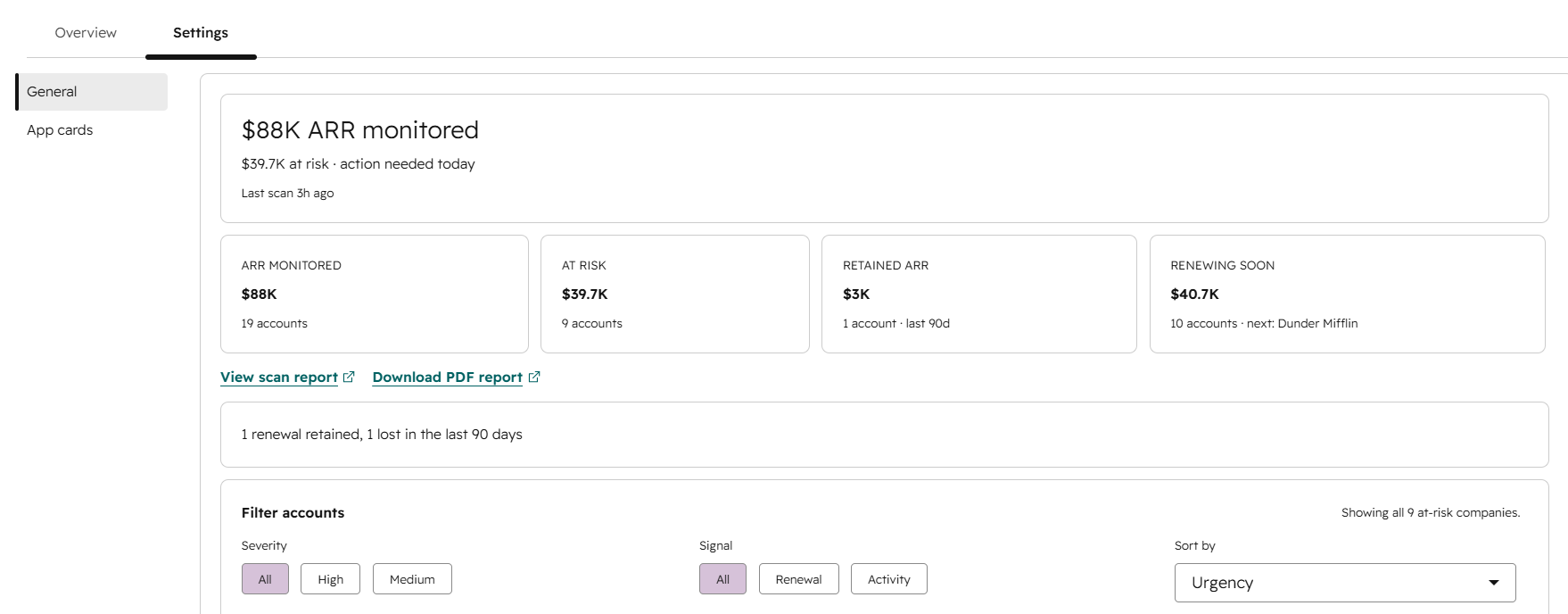
The first scan runs without task writes. The report separates confirmed timing, renewal signals, estimates, complete no-timing results, and incomplete timing.
The winning source is shown in customer-facing scan and PDF output, so Subscription, Line item, Quote, and Custom object evidence remains recognizable instead of being flattened into a generic date.
Timing confidence (High / Medium / Low) is different from Renewal Risk severity. This matters because a commercially urgent account can still have timing that is not trustworthy enough for automatic action.
Renewal Radar performs portal-wide candidate discovery first, then runs the expensive signal checks only for the candidate cohort. If complete candidate recall cannot be proven, scanning fails open to the broader Company inventory rather than silently skipping possible renewals.
In the latest production read-only validation, a 24,159-Company portal produced 375 canonical candidates and completed in 12m33s with zero failed Companies and zero HubSpot CRM Search 429s. See the speed and accuracy benchmark.
4. Activate renewal follow-up
Activating monitoring enables the ongoing scan and task lifecycle. A high-risk account does not automatically mean a task will be created.
A new Renewal Radar task requires all of the following:
- Canonical renewal timing is task-eligible.
- The Company is eligible for tasking.
- The resulting Renewal Risk is actionable under the production task rules.
- The existing task lifecycle and account controls allow creation.
Estimates, proxies, conflicts, incomplete authoritative timing, and Engagement Risk by itself cannot create a new automatic task. If required data is temporarily incomplete, Renewal Radar fails closed for new task creation rather than treating missing data as proof that a previous risk disappeared.
5. Connect your HubSpot agent
On an active Team or Partner plan, add Renewal Radar’s four approved Agent Tools to your agent. Retrieve account priorities and risk evidence, snooze an alert, or record a confirmed outcome.
Open your agent’s action or tool selector, search for Renewal Radar and test with a Company ID. The Agent Tools setup guide covers Agent Hub and Breeze Studio, exact tool names, ready-to-use instructions and troubleshooting.