// Getting started
Get Sighub running in five minutes
Install, map a few HubSpot properties, and turn on follow-up. Sighub is read-only until you explicitly activate it.
What Sighub is
Sighub helps HubSpot teams detect renewal risk earlier. Renewal Radar is Sighub's HubSpot-native app. You install it via a secure HubSpot OAuth connection (its HubSpot App Marketplace listing is in review), and it runs inside your HubSpot account, with no separate dashboard or external system to log into.
Sighub (sighub.io) is the company and brand behind Renewal Radar. Everything it does happens on your own HubSpot Company records.
1. Install on HubSpot
Installing Sighub takes less than a minute:
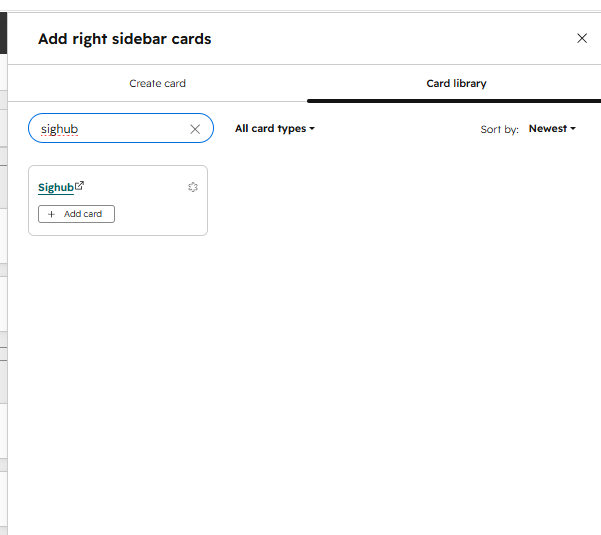
- Click the install link on the Sighub website.
- Authorize access to your HubSpot portal via OAuth.
- A success page confirms the connection and directs you back to HubSpot.
What the install asks for
The OAuth screen requests read access to Companies and the Company properties used during setup, Contacts and associated email activity metadata, Deals, Owners, and Tickets. Those Company properties are used only to discover candidate renewal fields. It also requests optional read scopes: line items, quotes, subscriptions, custom objects and currency settings, so Sighub can find renewal timing in more places and convert ARR into your home currency. If an optional scope is not available in your portal, that source is simply skipped.
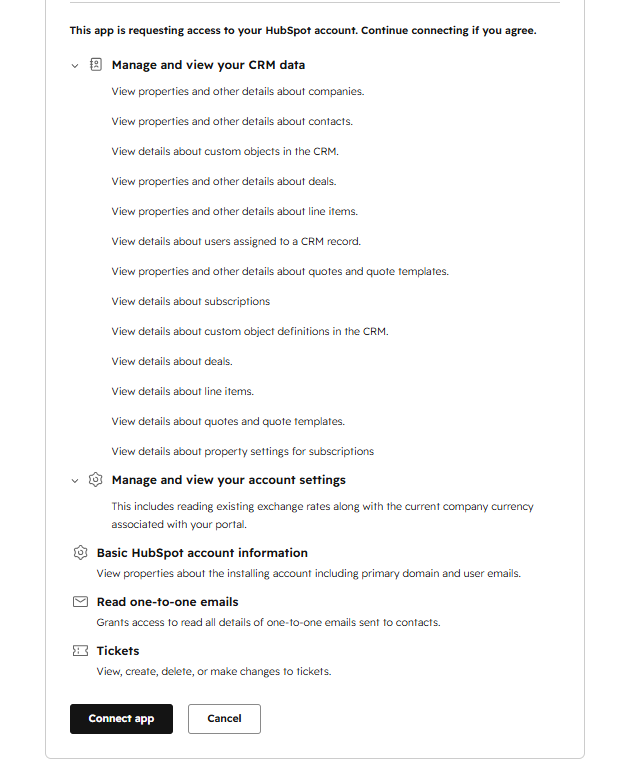
Sighub never asks for write access to your CRM records. The only thing it writes is its own follow-up tasks. See Data & privacy for the full list.
2. Configure your portal
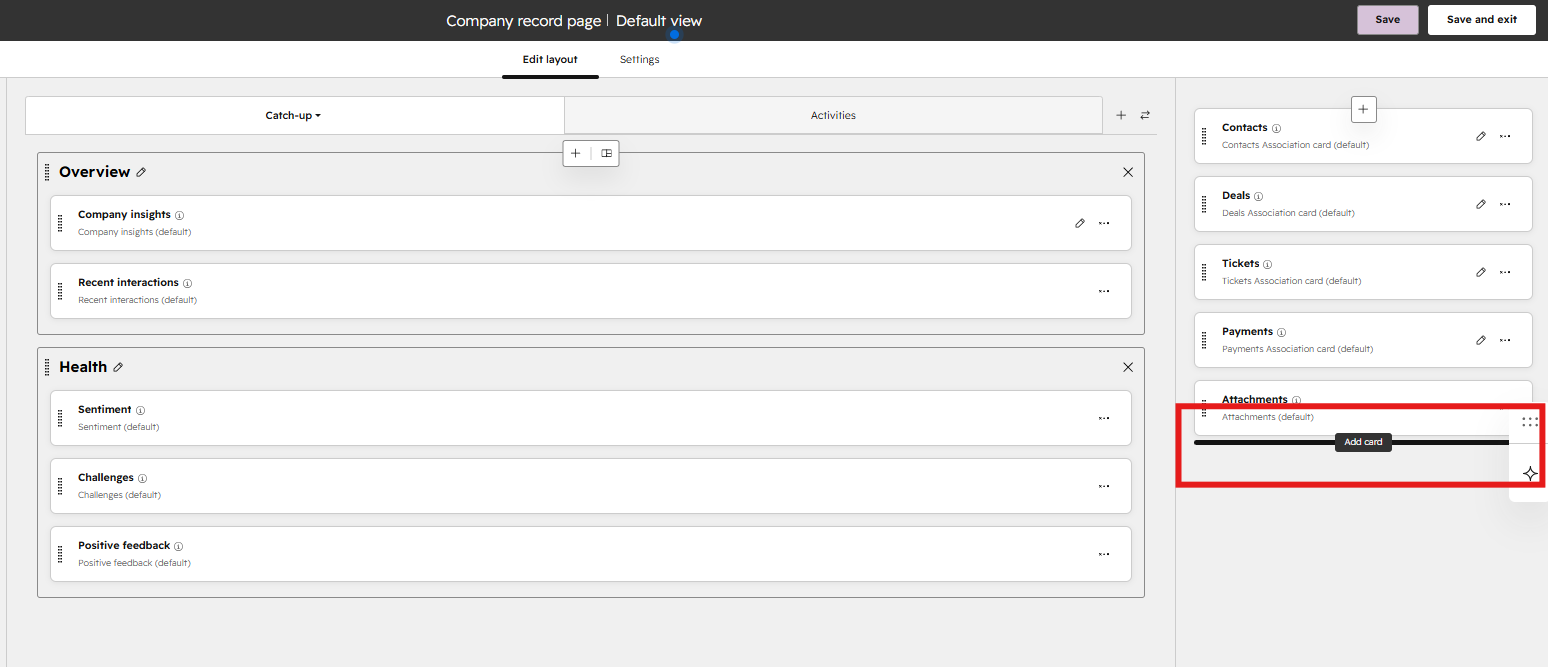
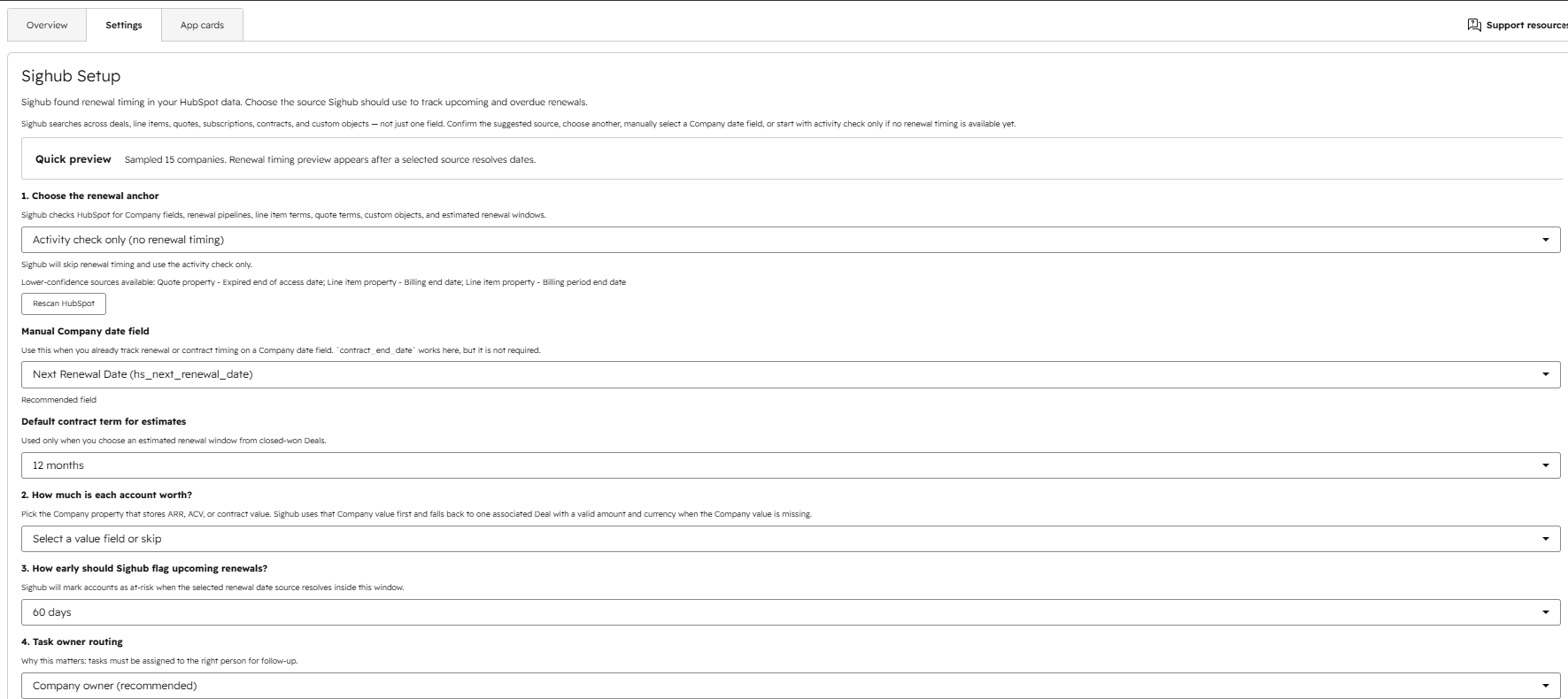
Setup happens inside HubSpot, either from the Sighub card or the app settings page. No custom HubSpot property is required, but mapping properties improves detection accuracy.
Contract end date (optional but recommended)
Map a Company date property representing when the contract ends or renews. This is the primary renewal signal at the Company level. If your renewal timing lives on deals, line items, quotes, subscriptions or custom objects instead, Sighub still finds it there. The Company field is one source among several, not the only one. Sighub suggests candidate properties by matching common keywords (contract, renewal, term, subscription, agreement).
Confirm the renewal source
During setup Sighub scans your portal and detects candidate renewal sources across Company date fields, deals, deal pipelines, line items, quotes and contract- or subscription-style custom objects, each with a coverage and confidence label. It picks the best one as the selected source. You can confirm it, switch to a different detected source, or rescan. You also choose a fallback for accounts with no renewal date (keep watching renewal timing, or fall back to engagement-only) and a default contract term used to estimate a renewal window from a closed-won deal.
Contract value (optional)
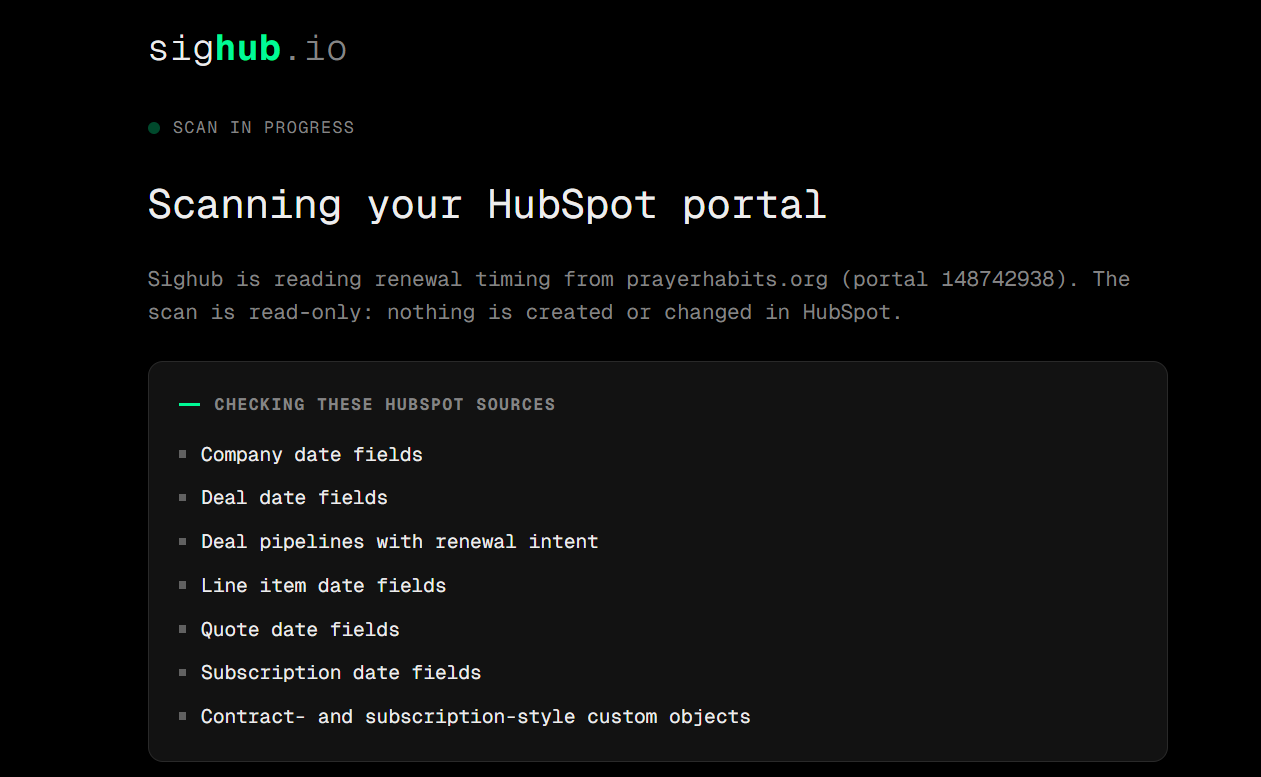
Map a numeric Company property representing account value (ARR, ACV, etc.). When mapped with a valid currency, Sighub displays the value at risk. Otherwise, it falls back to an associated deal amount.
Renewal alert window
Choose when Sighub starts evaluating renewal risk: 30, 60, or 90 days. Default is 60.
Task owner routing
Choose who receives follow-up tasks:
- Company owner (default): the company's HubSpot owner.
- Specific user: one selected HubSpot user for all companies.
Advanced settings (optional)
The settings panel also exposes the engagement thresholds: the reply-staleness window (default 28 days, range 15–90), the high and critical engagement day counts, and the open-ticket threshold. The defaults work for most teams, so you can leave them as they are.
3. Review the first scan
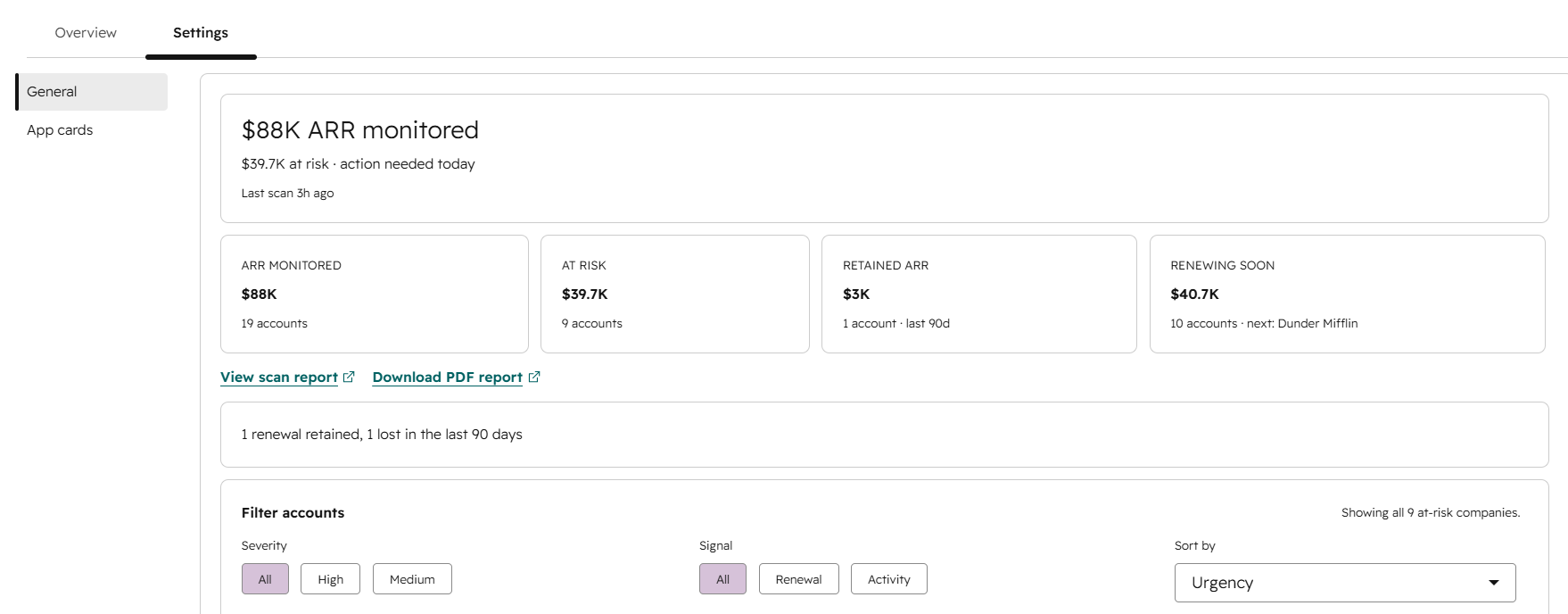
After setup, Sighub runs a first scan in summary mode. It evaluates every company and stores risk snapshots, but does not create any HubSpot tasks yet.
The first-scan summary in the Sighub card shows:
- How many accounts were scanned, and how many are high-urgency, medium, or healthy.
- Renewal exposure: how much value renews inside the window, how many renewals are already overdue, and the top accounts with no plan detected.
- How many HubSpot tasks activation would create.
- Where your renewal timing actually lives, and whether a single-field workflow could even reach those accounts.
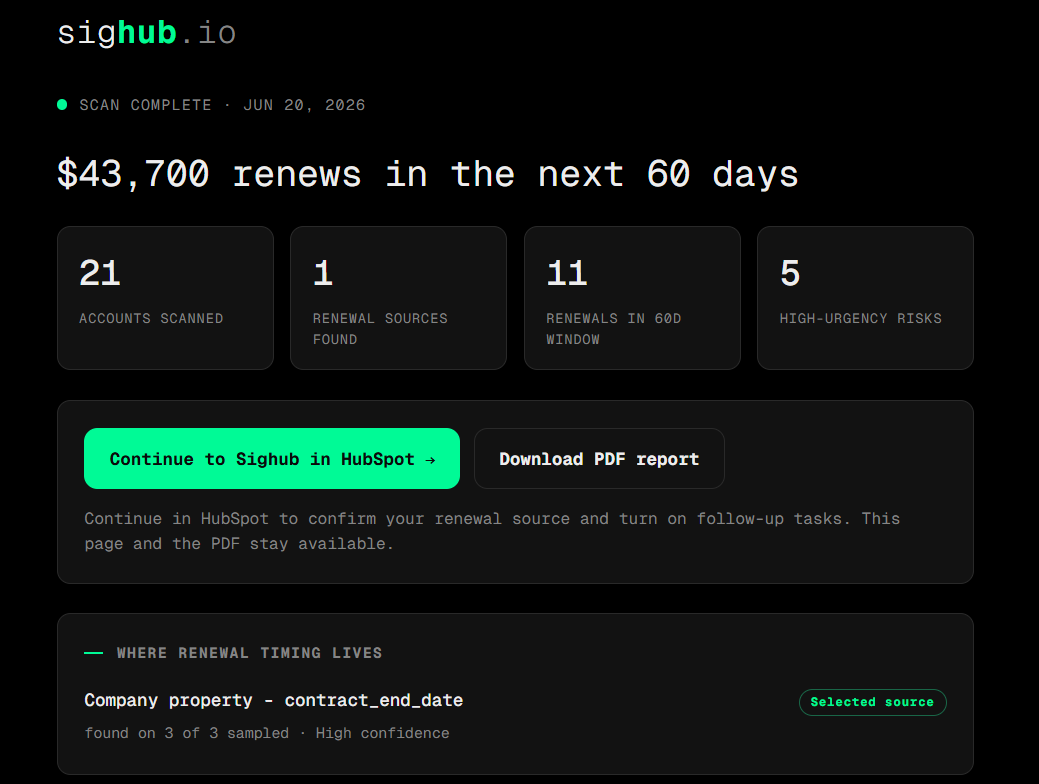
You can rescan before activating. A short cooldown applies between rescans, and the card shows when the next rescan is available.
4. Activate task automation
To start creating tasks, click Activate in the settings panel. Activation turns on ongoing monitoring, which needs an active subscription (the Team plan, €99 per portal, per month); if the portal is not yet subscribed, Sighub sends you to checkout first. See Plans & billing. Once activated:
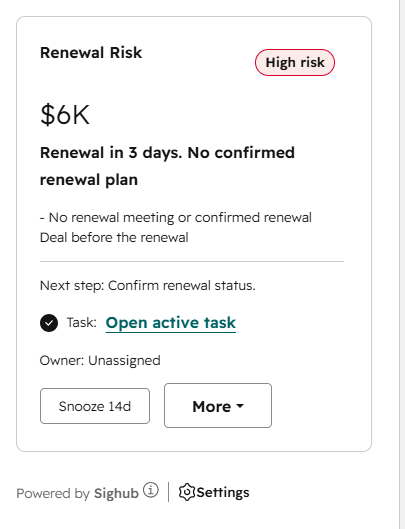
- Sighub creates at most one HubSpot task per Company, and only for a high-urgency Renewal Risk(severity high or critical). Engagement, tickets, meetings, and replies remain visible as supporting evidence or triage context; they never create a second standalone task. Medium renewal risks stay visible without generating tasks.
- A background scheduler checks every 60 minutes and runs a full portal scan when the last completed scan was at least 23 hours ago. A scan lease prevents two scans from running at the same time.
- Opening or refreshing the card can also trigger a per-company check.
- There is no one-click pause after activation. Canceling the subscription pauses monitoring, and per-account controls (snooze, mark healthy, exclude) are available on the card.